For years, the technology industry pushed users toward cloud-based services.
From note-taking apps and photo editors to office software and project management tools, almost everything moved online. The promise was simple: access your data anywhere, collaborate in real time, and never worry about storage again.
But something interesting is happening in 2026.
Offline apps are making a surprising comeback.
Users are increasingly looking for software that works without a constant internet connection. Concerns about privacy, subscription costs, internet reliability, and cloud dependence are encouraging both consumers and businesses to reconsider offline-first applications.
The simple answer is this:
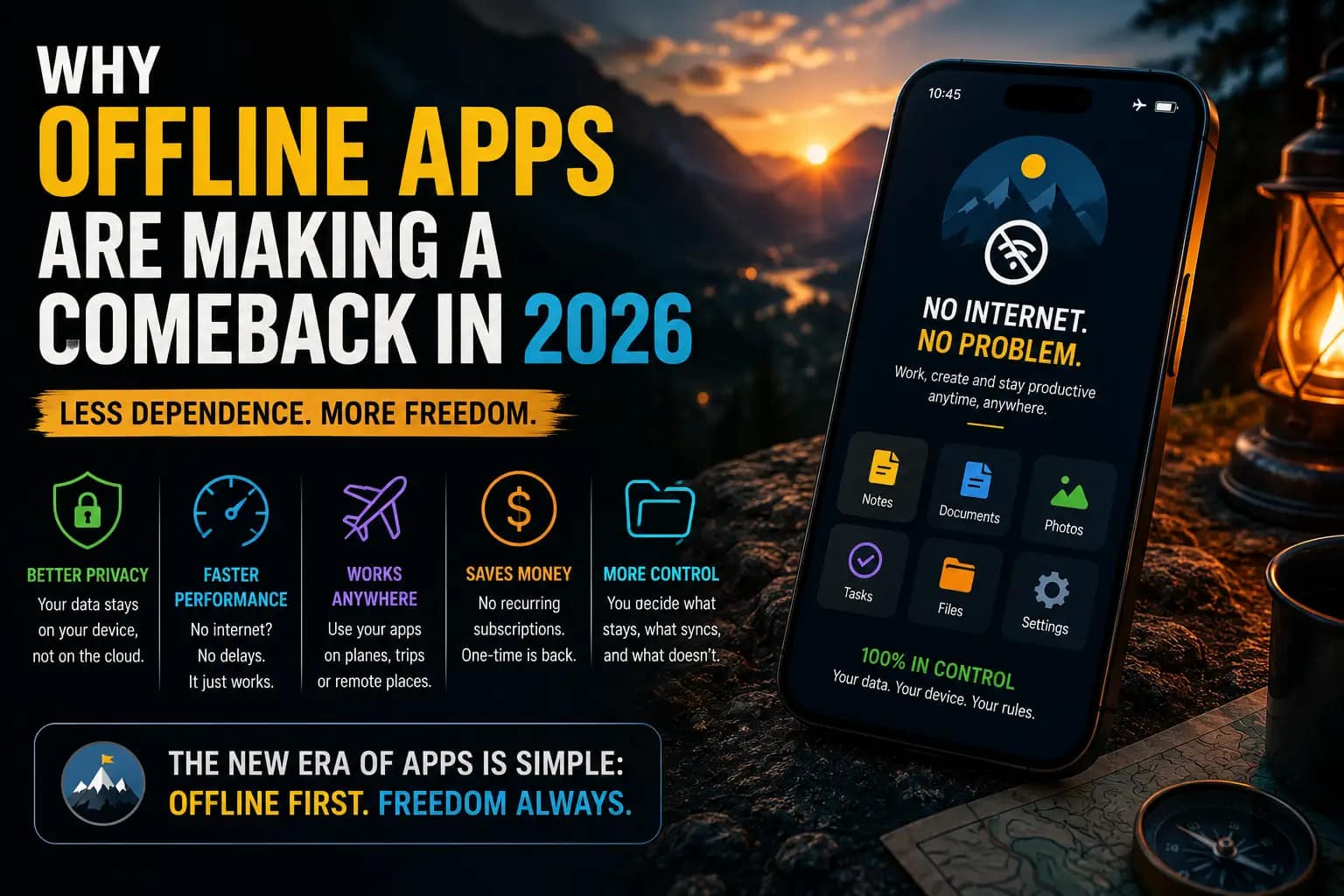
Offline apps are becoming popular again because they offer better privacy, faster performance, improved reliability, and greater control over personal data.
Let’s explore why this trend is growing and what it means for the future of software.
What Are Offline Apps?
Offline apps are applications that can perform most or all of their functions without requiring an active internet connection.
Examples include:
- Note-taking software
- Writing applications
- Photo editors
- Video editing tools
- Productivity software
- Password managers
Unlike cloud-only platforms, offline apps store data locally on a device and continue functioning even when internet access is unavailable.
Why Offline Apps Are Becoming Popular Again
Several factors are driving renewed interest in offline software.
Growing Privacy Concerns
Privacy has become one of the biggest technology discussions in recent years.
Many users are uncomfortable with:
- Constant data collection
- Cloud storage risks
- Third-party tracking
- Data-sharing practices
Offline apps often provide greater control because information remains on the user’s device.
For privacy-conscious individuals, this is a major advantage.
Faster Performance
Cloud-based software depends on internet connectivity.
Even fast connections can experience:
- Delays
- Server issues
- Synchronization problems
Offline apps often launch faster and respond more quickly because processing occurs directly on the device.
For professionals working with large files, speed matters.
Reliability During Internet Outages
Internet access is not always available.
People frequently encounter situations involving:
- Travel
- Power outages
- Weak mobile signals
- Network disruptions
Offline apps continue working regardless of connectivity.
This reliability makes them especially useful for students, travelers, and remote workers.
Subscription Fatigue
Consumers are becoming tired of endless subscriptions.
Today people often pay monthly fees for:
- Streaming services
- Cloud storage
- Productivity software
- Design tools
Many offline applications offer one-time purchases rather than recurring subscriptions.
As software costs continue rising, this model is attracting more users.
The Rise of Local AI Processing
Artificial intelligence is also contributing to the return of offline software.
Modern devices are becoming powerful enough to run certain AI features directly on the device.
Benefits include:
- Improved privacy
- Faster responses
- Reduced cloud dependence
This trend is encouraging developers to create software that combines AI capabilities with offline functionality.
Industries Benefiting From Offline Apps
Education
Students often need access to learning materials regardless of internet availability.
Offline applications support:
- Note-taking
- Writing
- Study management
without requiring continuous connectivity.
Creative Professionals
Designers, photographers, and video editors frequently work with large files.
Offline software often delivers:
- Better performance
- Faster editing
- Reduced upload requirements
This improves workflow efficiency.
Business and Productivity
Professionals increasingly value software that remains available under any conditions.
Offline tools reduce dependence on external servers and internet stability.
Travel and Remote Work
People working remotely or traveling internationally often experience unreliable internet access.
Offline apps ensure important work can continue uninterrupted.
Common Myths About Offline Software
Myth 1: Offline Apps Are Outdated
Many modern offline apps include advanced features, beautiful interfaces, and regular updates.
They are not limited to old desktop software.
Myth 2: Cloud Apps Are Always Better
Cloud platforms provide valuable benefits, but they are not always the ideal solution for every user.
Different needs require different tools.
Myth 3: Offline Means No Synchronization
Many modern applications combine offline functionality with optional cloud syncing.
This creates flexibility without sacrificing reliability.
The Hybrid Future of Software
Experts increasingly believe the future is not entirely online or entirely offline.
Instead, software is moving toward a hybrid model.
In this approach:
- Core functions work offline.
- Cloud features remain optional.
- Data synchronization occurs when available.
This provides the best of both worlds.
Users gain convenience while maintaining control.
Advantages of Offline Apps
Better Privacy
Data remains under user control.
Faster Speed
Local processing often improves performance.
Reduced Costs
Many offline applications avoid subscription fees.
Greater Reliability
Software remains functional regardless of internet availability.
Improved Security
Sensitive information can remain stored locally.
Potential Drawbacks
Offline software is not perfect.
Some challenges include:
Limited Real-Time Collaboration
Cloud platforms often excel at team collaboration.
Device Dependency
Data stored locally may require backups.
Fewer Automatic Updates
Some applications require manual updates.
Despite these limitations, many users consider the benefits worthwhile.
Practical Tips for Choosing Offline Apps
When evaluating software, consider:
Privacy Requirements
How sensitive is your data?
Internet Availability
Do you frequently work without reliable connectivity?
Budget
Do you prefer one-time purchases over subscriptions?
Workflow Needs
Do you need collaboration features?
Choosing the right balance between online and offline functionality is key.
FAQ
1. What is an offline app?
An offline app is software that can function without an active internet connection.
2. Why are offline apps becoming popular again?
Privacy concerns, reliability, performance improvements, and subscription fatigue are driving renewed interest.
3. Are offline apps safer?
In some situations, local data storage can improve privacy and security.
4. Can offline apps still sync data?
Yes. Many modern applications offer optional cloud synchronization.
5. Will offline apps replace cloud software?
Probably not. Most experts expect a hybrid future where both approaches coexist.
Conclusion
After years of cloud-first development, the software industry is rediscovering the value of offline functionality.
Users want privacy, reliability, speed, and control over their data. Offline apps address many of these concerns while still delivering modern experiences.
The future of software may not be entirely online or offline. Instead, it will likely combine the strengths of both approaches.
As technology evolves, offline-first applications are proving that sometimes the best innovation is bringing back what worked well in the first place.
Related Resources
For more technology insights, readers can explore relevant content on:
About the Author